For students
Getting started with Pseudly
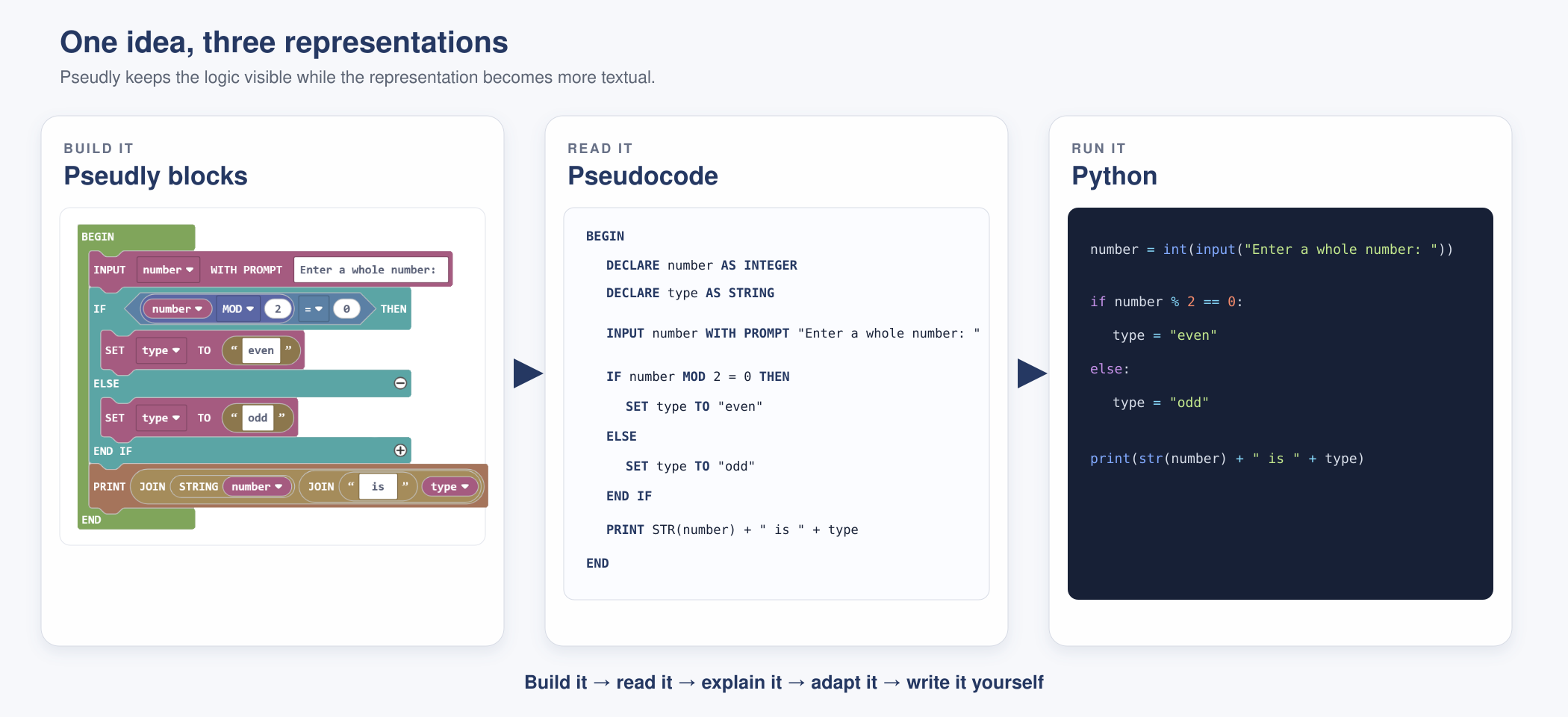
Pseudly helps you plan a program with blocks and see the same algorithm written as pseudocode. It lets you concentrate on the logic of your solution before the exact syntax of a programming language gets in the way.
What you will see
The block workspace is where you build your algorithm. The pseudocode panel shows the written version as you work. Code blocks that control the program, such as IF and WHILE, connect with value blocks such as numbers, text and conditions.
A useful way to work
- Build it
Choose and connect blocks that describe your solution. - Read it
Follow the generated pseudocode one line at a time. - Explain it
Say what each step does and why it is needed. - Adapt it
Change the problem, test your logic and improve the algorithm. - Write it
Begin producing pseudocode without relying on every block.
Saving and submitting your work
- Save the Pseudly JSON file if you need to reopen and continue editing the program.
- Export the workspace as a PNG when your teacher needs to see the blocks.
- Copy or download the pseudocode as text when the written algorithm is required.
- Use the filename and version requested by your teacher.
Remember: fitting blocks together is only the beginning. Your goal is to understand the pseudocode well enough to explain it, change it and eventually write it yourself. A program can be free of syntax errors and still have faulty logic, so test what your algorithm actually does.